
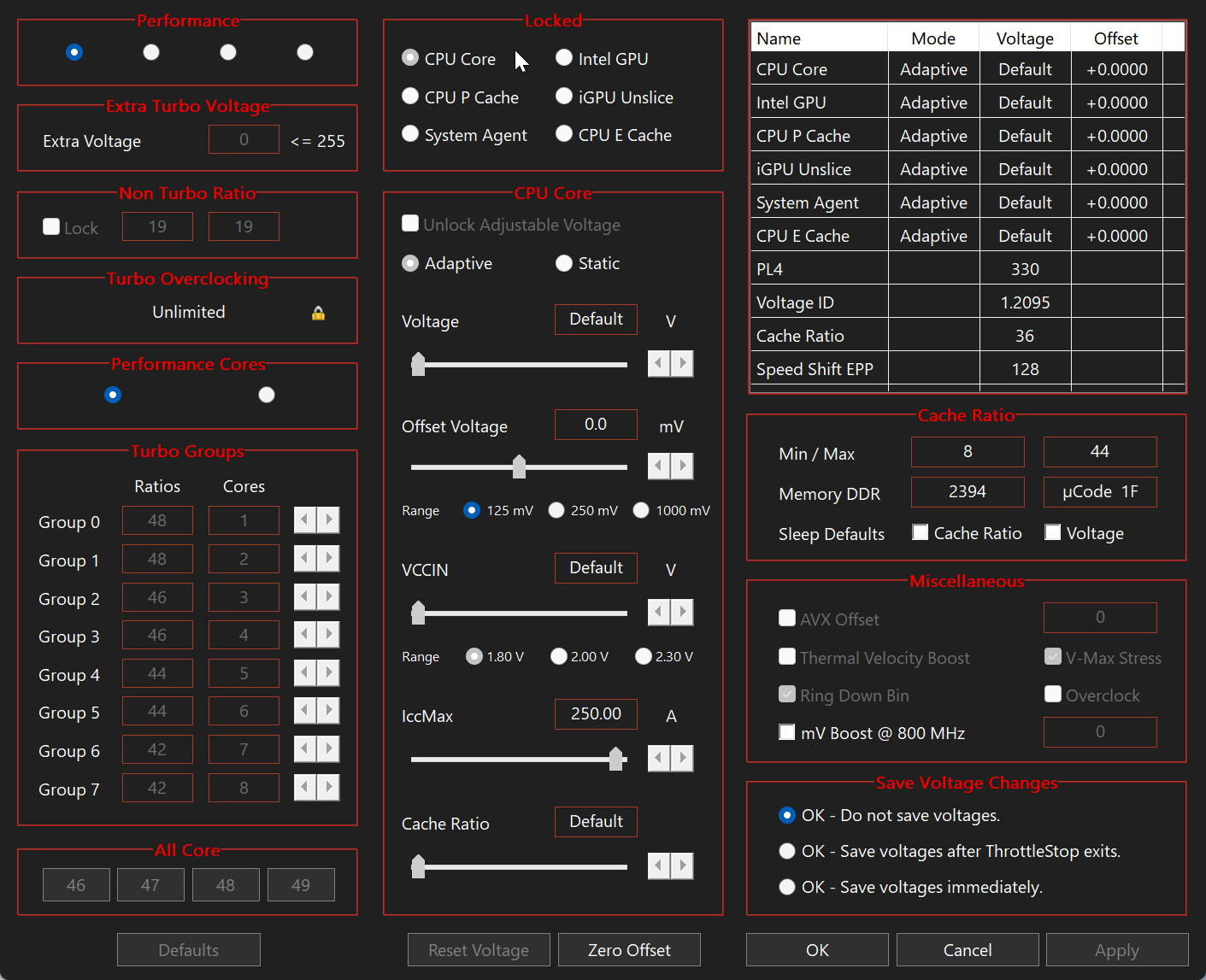
ThrottleStop for Windows
ThrottleStop is a Windows utility for monitoring Intel CPU throttling, power limits, temperatures and performance settings on supported laptops and desktop PCs.
What Is ThrottleStop?
ThrottleStop is a Windows utility created by Kevin Glynn, also known as UncleWebb. It monitors supported Intel processors and exposes advanced controls related to clock behavior, Turbo Boost, Speed Shift, voltage and power limits.
What You Can Monitor
Use ThrottleStop to observe temperature, multiplier, effective performance and limit reasons. Monitoring first helps distinguish thermal throttling from power limits, firmware policy or an unsuitable Windows power configuration.
Advanced Controls
FIVR covers voltage controls on supported systems, TPL covers turbo power limits, and Speed Shift EPP influences the preference between responsiveness and efficiency. Availability varies by CPU and firmware.
Use It Carefully
Changing voltage, power limits or protection signals can destabilize Windows or increase heat. Record stock settings, make small reversible changes and test one setting at a time.
Frequently Asked Questions
Is ThrottleStop safe?
Monitoring is low risk, but voltage, power and protection settings can cause instability or excess heat when used incorrectly.
Does ThrottleStop support every processor?
No. Controls depend on a compatible Intel CPU, BIOS and firmware.
Can ThrottleStop stop thermal throttling?
It can identify limits and adjust some controls, but it cannot repair inadequate cooling.
Related ThrottleStop Guides
How to use ThrottleStop · Undervolting guide · Safety · Troubleshooting · All guides
Independent resource: ThrottleStop was created by Kevin Glynn, also known as UncleWebb. ThrottleStopSoftware.com is not affiliated with or endorsed by the developer or TechPowerUp. Change hardware settings carefully and keep a recovery plan.